
terpline guide
a control app for Focus V dab rigs, built around a few things the official app doesn't do: live mid-session adjustment, multi-step ramping, and saved libraries that follow your account instead of one device.
guide.compatibility
works with Carta 2, Aeris, and Carta Sport over Web Bluetooth. that means Chrome or Edge on desktop, Chrome on Android, or — since iOS Safari doesn't support Web Bluetooth at all — Bluefy or The V Browser (Focus V's own Bluetooth browser — add Terpline as a fullscreen shortcut there, next to the Focus V app) on iPhone/iPad. in The V Browser the Bluetooth picker lists only Focus V devices; everywhere else it lists every nearby device. multiple devices can be added to one account, and you switch between them from the devices list.
guide.home-screen
keep Terpline on your home screen and it opens straight to your device, like an app.
- iPhone / iPad: open Terpline in The V Browser and tap the Share button in its bottom bar to make the shortcut (or turn on fullscreen with the ⛶ button at the top). the icon opens Terpline fullscreen in The V Browser (with Bluetooth), next to the Focus V app's — pick whichever you need. don't use Safari's “add to home screen”: that icon opens without Bluetooth.
- Android / computer: in Chrome or Edge, tap “add to home screen” when Terpline offers it (or under account), or use the browser's install option.
heat
manual temperature control, with live mid-session adjustment
device.quickset
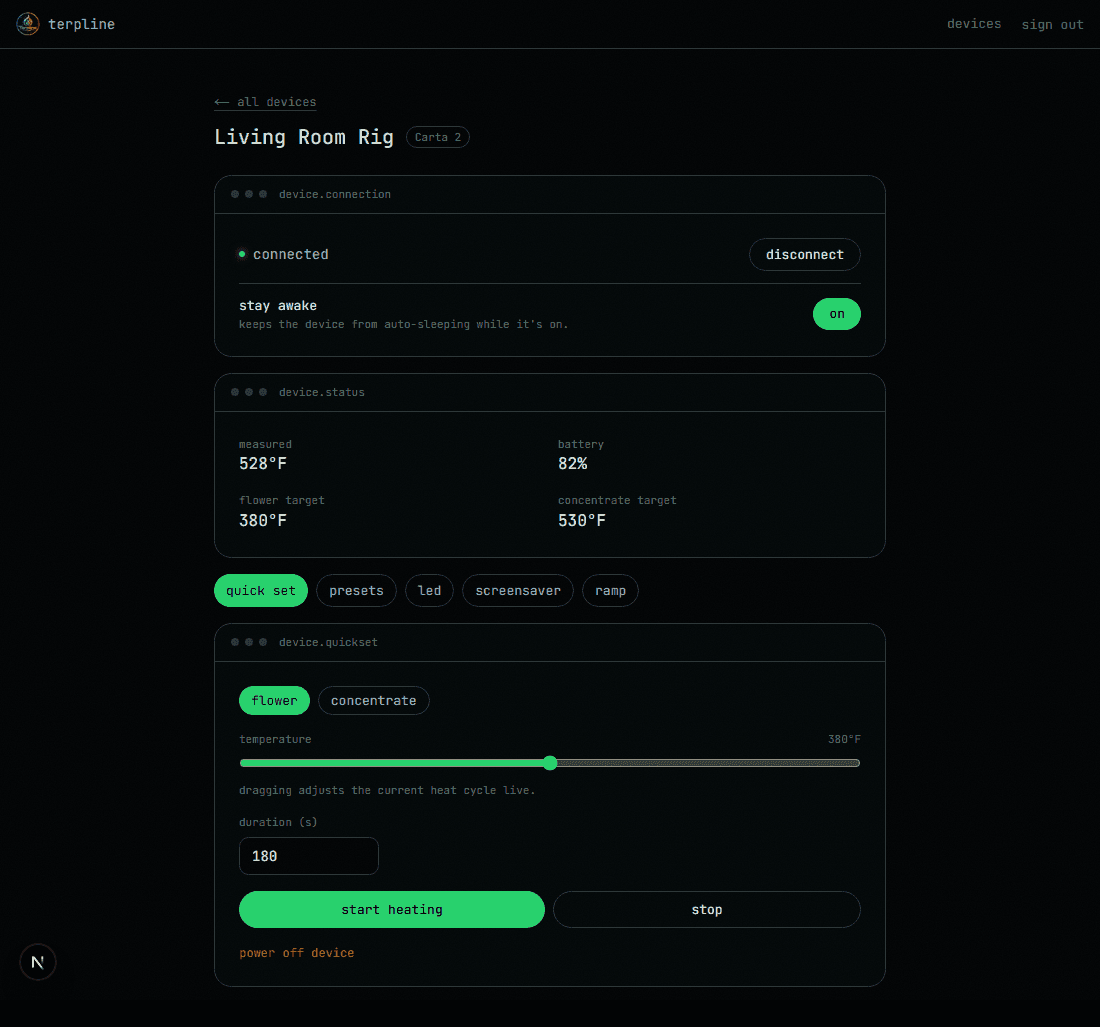
- ›temperature and duration default to whatever the device is actually set to right now — not a guess.
- ›drag the slider while a session is already running and it nudges the live target directly, instead of requiring a fresh start.
- ›switching between flower and concentrate resets to that mode's own current values.
presets
the device's own 5-slot table, plus your own saved library
device.presets
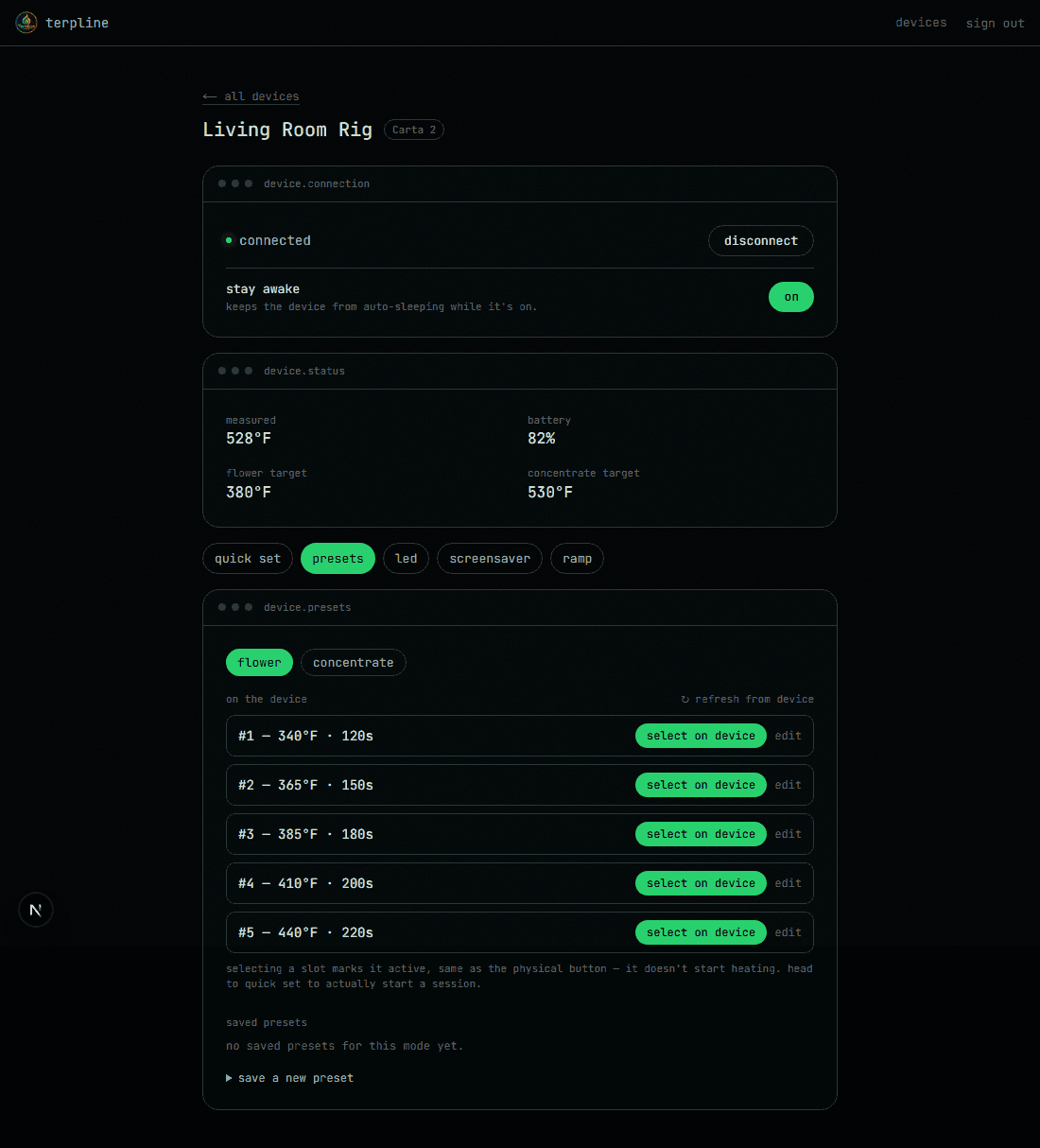
- ›tap a slot to make it the device's active preset — the same thing the physical button does — without starting a heat cycle.
- ›saved presets from your own library load into the heat tab for review instead of firing heat immediately.
- ›a refresh control re-syncs from the device if anything looks stale.
lights
all 5 hardware slots, with their real saved colors
device.led
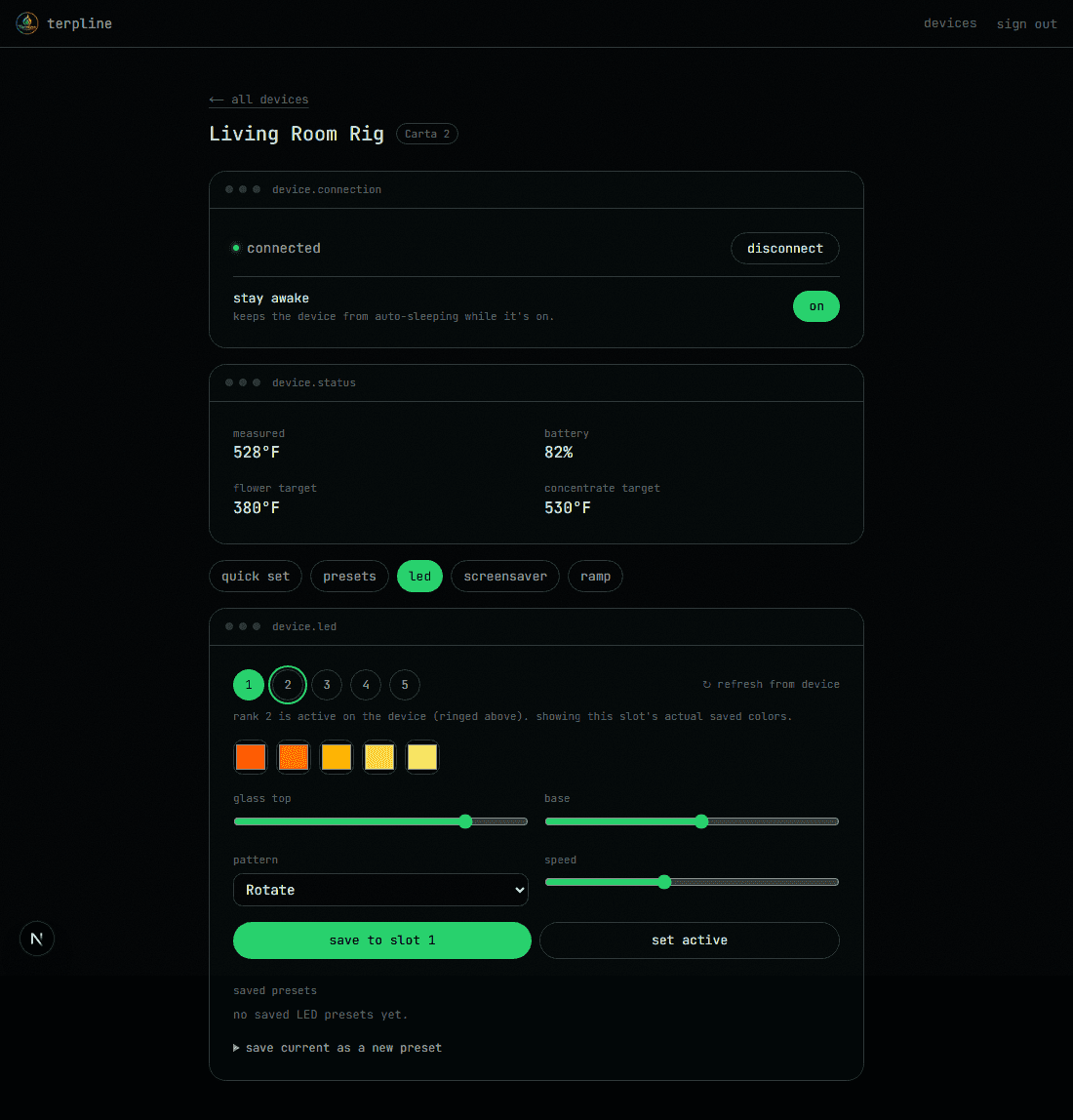
- ›shows which rank the device reports as actually active, separate from whichever one you're currently editing.
- ›loads each slot's real synced colors when you select it, instead of a shared, generic editor.
- ›save your own combinations to a personal library for reuse across devices.
screensaver
custom idle-screen images, under lights & screen — carta 2 only
device.screensaver
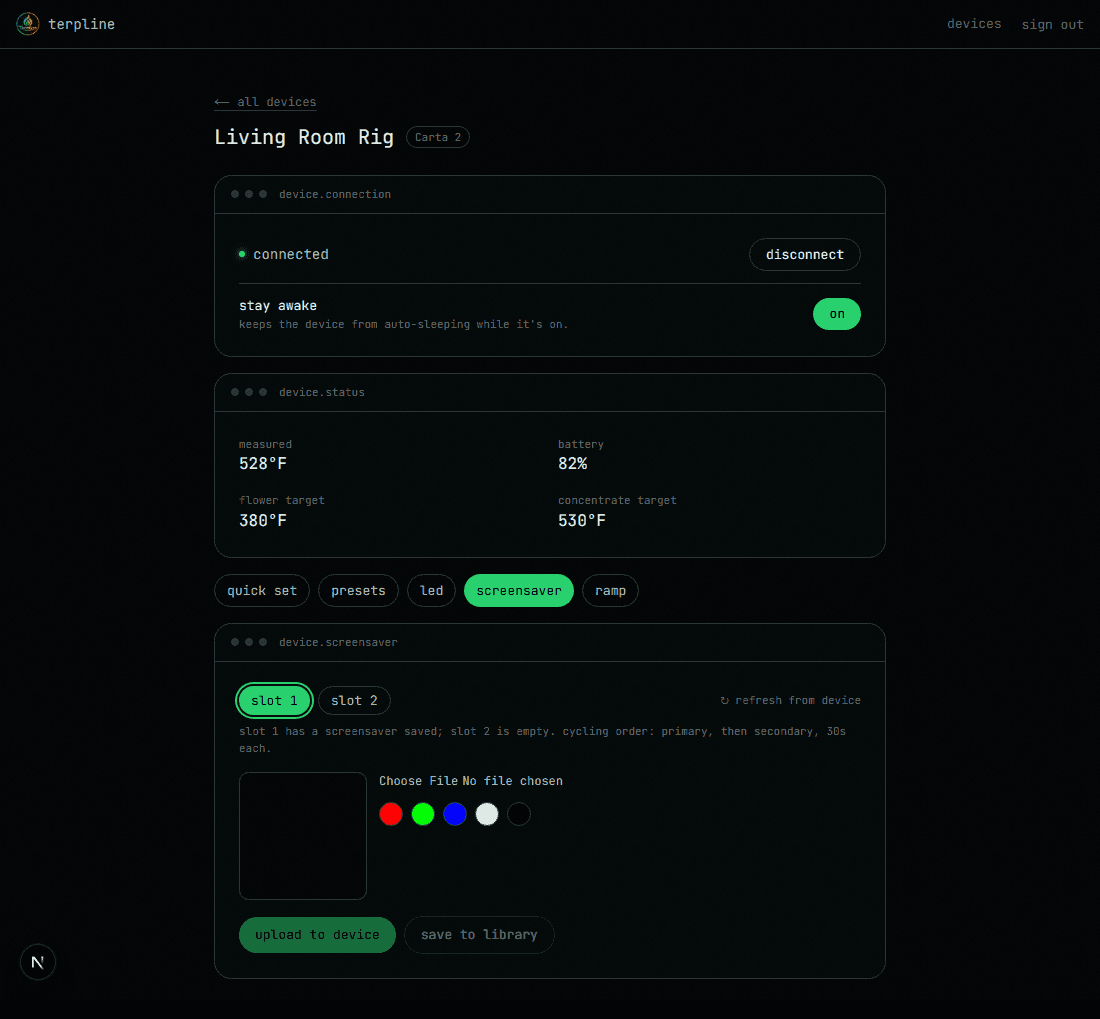
- ›upload any image, or a flat test color, cropped and converted automatically.
- ›shows which of the two slots actually has something saved on the device, plus the current cycling order and timing.
- ›keep a personal library of screensavers to re-upload without re-picking a file every time.
- ›known limitation: the two slots don't display for exactly equal stretches of time, and the display duration applies to both together — there's no way to set it per-image.
ramps
multi-step temperature curves the device doesn't do natively
device.ramp
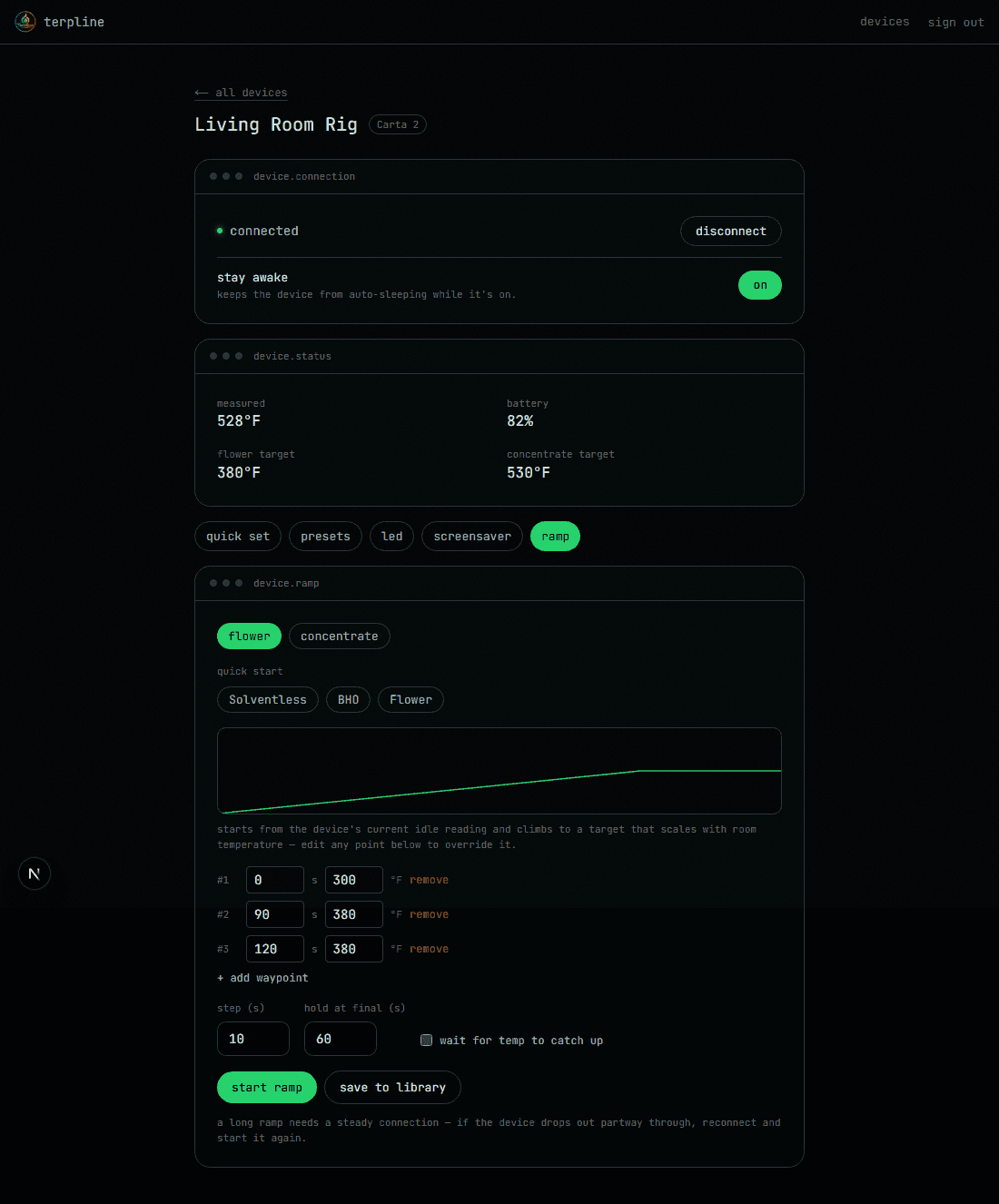
- ›three built-in starting points — Solventless, BHO, and Flower — tuned to real timing and temperature curves, not arbitrary defaults.
- ›an optional closed-loop mode waits for the device to actually reach each stage instead of advancing on a fixed clock regardless.
- ›defaults start from the device's own idle reading and scale with room temperature, then you can edit any point.
- ›save a tweaked ramp back to your library in one step.
- ›with Terpline's firmware installed, "on the device" runs ramps on the device itself — pick a built-in, start it, close the page.
- ›each built-in ramp on the device can be edited like a stock preset — up to five stages — and put back to the factory one.
history
dab counts and the device's own session log
lifetime, monthly, weekly and daily counts straight from the device, plus a readout of its on-board session log — when each heat cycle ran, at what temperature and for how long. reading it doesn't mark anything as synced, so the official app still sees the same sessions.
settings
the device settings the official app exposes, and one it doesn't
temperature scale, vibration level, low power mode, device and LED sleep timeouts, and (carta 2) locking the physical buttons. carta 2 and carta sport also get a stay-awake override that keeps the device from auto-sleeping at all, and every model shows its firmware version and whether Focus V has released a newer one. everything reflects the device's actual reported state, not just what was last clicked.
create an account or sign in to get started.